


Select The Right eLearning Tools For Your Needs
 You’re new to the Instructional Design scene. In fact, until now, you’ve only ever been a trainee. So, who could blame you for feeling a little nervous about designing your first course for the cannabis industry? If you’re wondering which eLearning tools will make the process less daunting, these tips are for you.
You know what they say. A bad workman blames his tools. But when it comes to Instructional Design, a good workman gets to blame his tools, too! Because without the right Instructional Design software, it doesn’t matter whether you’re a rookie or a training master, your cannabis industry training just won’t be the best that it can be.
The problem is, the number of online training tools available to you is about as overwhelming as Times Square on Christmas Eve. Of course, you’ll probably need to engage in some trial and error before you find the perfect suite of Instructional Design tools for your needs.
But to get there a little faster, try these tips for choosing the best tools within each Instructional Design category.
Content Authoring Tools
 What is cannabis industry training without content, right? Creating course content isn’t as simple as a PDF workbook or a PowerPoint presentation. Engaging eLearning courses include multiple content formats, like videos, infographics, branching scenarios, quizzes, and more. And to create these, you need powerful content-authoring tools.
Your authoring software will be one of your most important Instructional Design tools, so you need to make the right choice. And there’s a lot to consider. So, when scanning the features or taking demos of tools like Elucidat or Articulate Storyline, ask yourself these questions.
Is the tool easy to use and flexible in its design capabilities? Does the software allow for multiple users and teams as your courses grow? Can course reviewers make comments and edits quickly and transparently? Can changes be published on the fly? Do you need your content translated into multiple languages? And, most importantly, does the tool integrate with your chosen LMS?
Video And Recording Tools
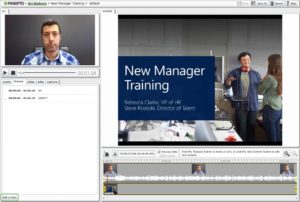 It’s been estimated that this year, 80% of the world’s internet traffic will be video. So it’s only natural that your learners would want video in their cannabis industry training content, too. And with the right tools, you can create videos simply and easily – no degree in video production is needed to create training topics like #1excludeGlossary or others needed in a dispensary.
The tool you choose will depend on the kind of video or recording that you’ll be including in your cannabis industry training. For example, Powtoon is a user-friendly tool for creating animated videos, Adobe Presenter Video Express creates PowerPoint video lessons, and Screencastify is great for screencasts to show learners how to use an online application.
Learning Management Systems (LMS)
 A cannabis industry Learning Management System (LMS) is a course development software for delivering, tracking, and reporting on eLearning courses. Your LMS will provide the foundation and structure of your course, which means that making the right choice is very important.
First, you need to consider the technical capabilities of your team. Will they need strong LMS support? Next, think about your training needs. Does the LMS have all the features you need to deliver high-quality and engaging training? In particular, consider gamification features, calendars, and learning paths.
If your course needs to be accessible to employees on the go, make sure to choose an LMS that’s mobile-compatible. And if you need your course to look and feel like the company’s branding, then you’ll also want to choose an LMS with white-labeling options.
Finally, if keeping track of learning performance is important to you, then an LMS with strong reporting is a must.

Live Webinar Tools
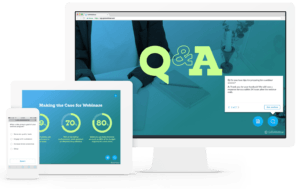 Who said that eLearning can’t include #6excludeGlossary human collaboration in your cannabis business? Because it can, with the help of tools like Adobe Connect and Join.me. These web-based training tools provide a platform for learners and facilitators to connect, ask questions and share perspectives.
Most tools include features like screen sharing, recording, document uploads, video, and audio. But there are other factors to consider when choosing the best tool for your needs. If your cannabis training includes online tutorials and workshops, then a tool like Adobe Connect or BigBlueButton might be your best bet.
These tools allow the instructor to separate the cannabis training into breakout rooms, mute the microphones of noisy learners, and use digital whiteboard tools to teach. They also offer learners buttons to raise their hands, agree and disagree, and simple cues to indicate that the instructor is moving too quickly or too slowly through the lesson.
Tools like GoToMeeting, on the other hand, simply provide an online ‘room’ for discussions or presentations to take place. This makes the tool best suited to webinars, team meetings, or training small groups of learners.
Tools For Creative Graphics
 Would you enjoy cannabis training that consisted only of written notes? Well, neither would your learners this is why user-friendly tools for graphics are so important for making engaging courses.
These Instructional Design tools help you find and customize graphics for your cannabis industry training content. And there are some great ones to choose from. Like Shutterstock and iStock, which are libraries of high-quality photos and images that you can purchase online.
Or Canva, which provides the templates and customization features you need to create unique and brand-relevant images. So, how do you decide? As with most tools, finding and creating graphics can be a free, low cost or expensive exercise. For example, Pixabay is a free image stock, and Canva has a free membership option.
You need to decide how important it is for your images to be unique and representative of the cannabis company branding. The more unique the images, the more likely you are to need a paid plan.
Document Storage And Sharing Tools
 This category might not sound relevant to Instructional Design tools, but it is! These tools ensure that all of your cannabis industry training and planning, content, and reports are kept safe, organized, and accessible by the right people. Pretty important, right?
The best storage and sharing tools are usually cloud-based, and your choice will depend on the need for collaboration. For example, Dropbox allows the uploading and sharing of files. But if it’s a real-time collaboration you’re looking for, Google Drive allows your team members to work on the same document or sheet, at the same time.
Also, consider how important it is for your documents to remain private and protected. For example, the free Google Drive membership allows a lot of functionality, but the G Suite membership provides additional access restrictions within your company.
This tool, though a paid subscription, also offers added storage space, which could be useful if you have many training documents to store.
Communication Tools
 These are eLearning tools and technologies that enable communication between members of the Instructional Design team, and between the dispensary team and cannabis industry workers. Why do you need these tools? Because they ensure that course development progresses smoothly and accurately and that learners are always ‘in the know’ about their training.
You have several options, of course. Tools, like Slack, allow team members to chat in real-time, upload documents, and tag team members. Email applications, like MailChimp and Intercom, are great for communicating a consistent message to large numbers of dispensary workers. The question is, how do you choose?
Budget and scale are your key considerations. Most tools offer a free membership. But the larger your training team or the number of learners, the more likely it is that you’ll need to upgrade to a paid plan that supports lengthy mailing lists or many users.
Conclusion
The best employee training tools for you might not be the same as the best tools for someone else. But once you’ve found your perfect suite of eLearning technologies, you’ll be creating engaging courses faster than you can say “Times Square”.
Let us know what you think.